Type less.
Say more.
Kürzel is a desktop studio for Espanso snippets. Write, test and check your text expansions in a form, and never open a YAML file to do it.
Free and open source under the MIT licence. Windows, macOS and Linux.

Edit a snippet the way you think about it
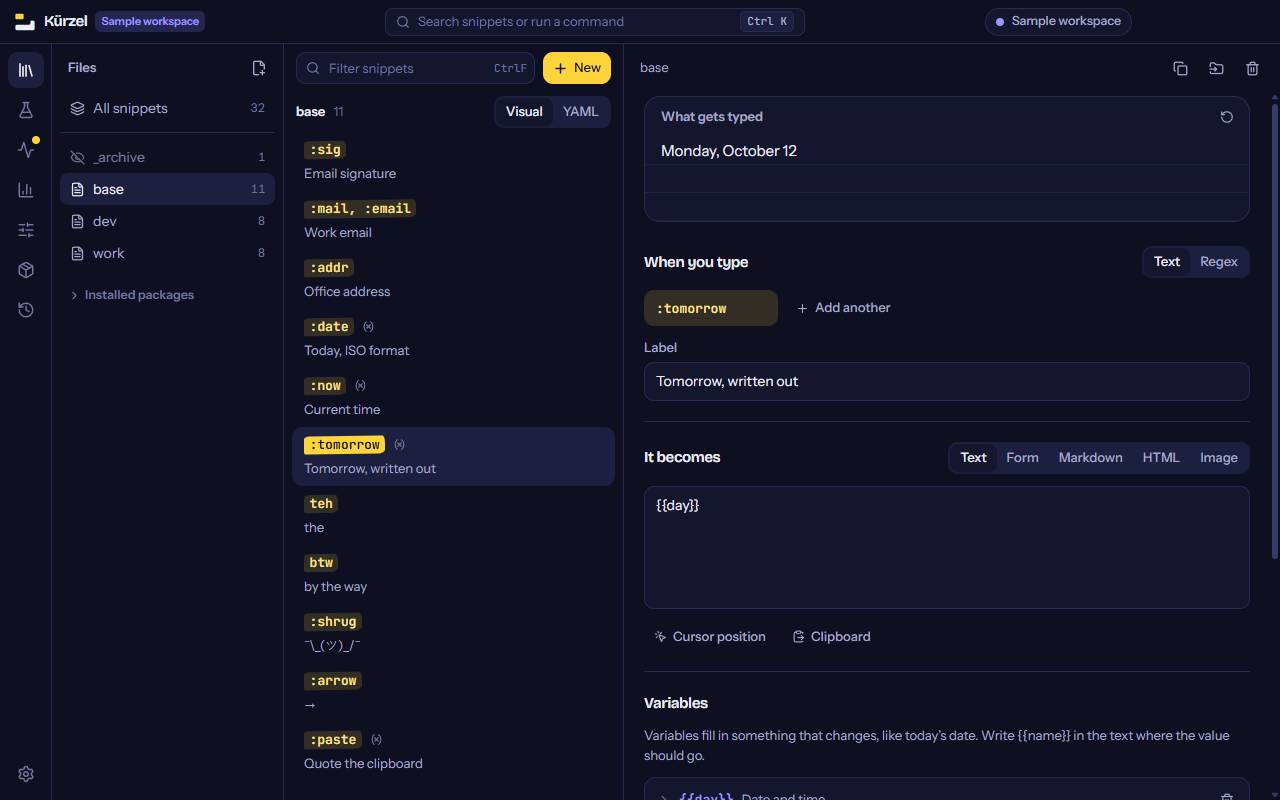
What you type, and what it becomes. Dates, clipboard contents, choices, forms and shell commands are added with a button, and each one gets its own small editor with sensible presets.
The preview at the top fills in today's date, your form answers and your choices as you write. It never runs a shell command, so looking at a snippet from someone else's package is safe.
It tells you what will go wrong
Espanso does exactly what the files say, including the mistakes. Kürzel reads every snippet you have and lists the ones that will surprise you. Where one change is obviously right, a button makes it, and you can undo it.
-
ou
fires while typing ordinary words such as “about”. Turn on “Only as a whole word”.
-
:logo
can never fire, because
:logfires first. Change one trigger so neither starts with the other. -
:mail
is defined in two files. Espanso will ask which one you mean. Rename one of them.
-
:ticket
uses the variable
id, which is not defined. Add the variable or fix the name. -
:branch
runs a command on your computer every time it is used. Make sure you trust it.
Try it before Espanso does
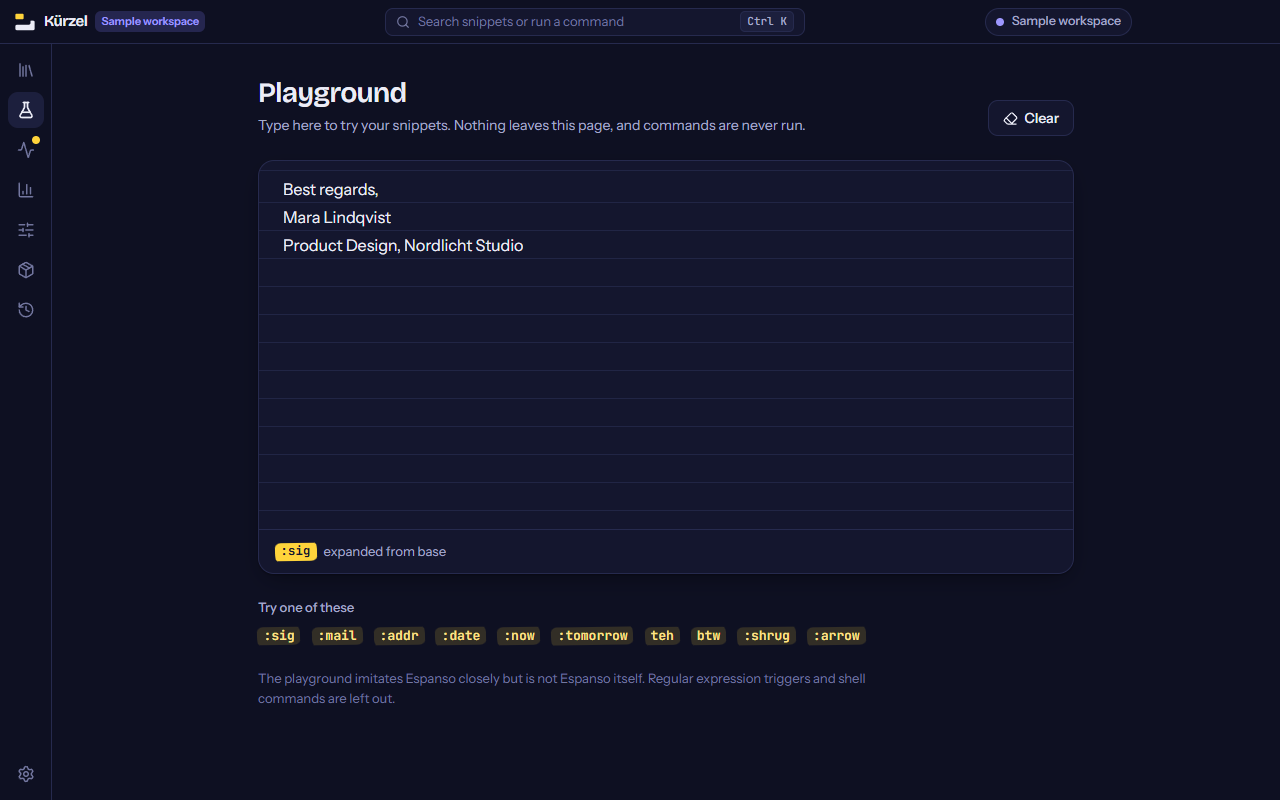
The playground is a sheet of paper that behaves like your keyboard with Espanso running. Type a trigger and watch it expand, with capitalisation and word boundaries handled the way Espanso handles them.
The whole Espanso Hub, one search away
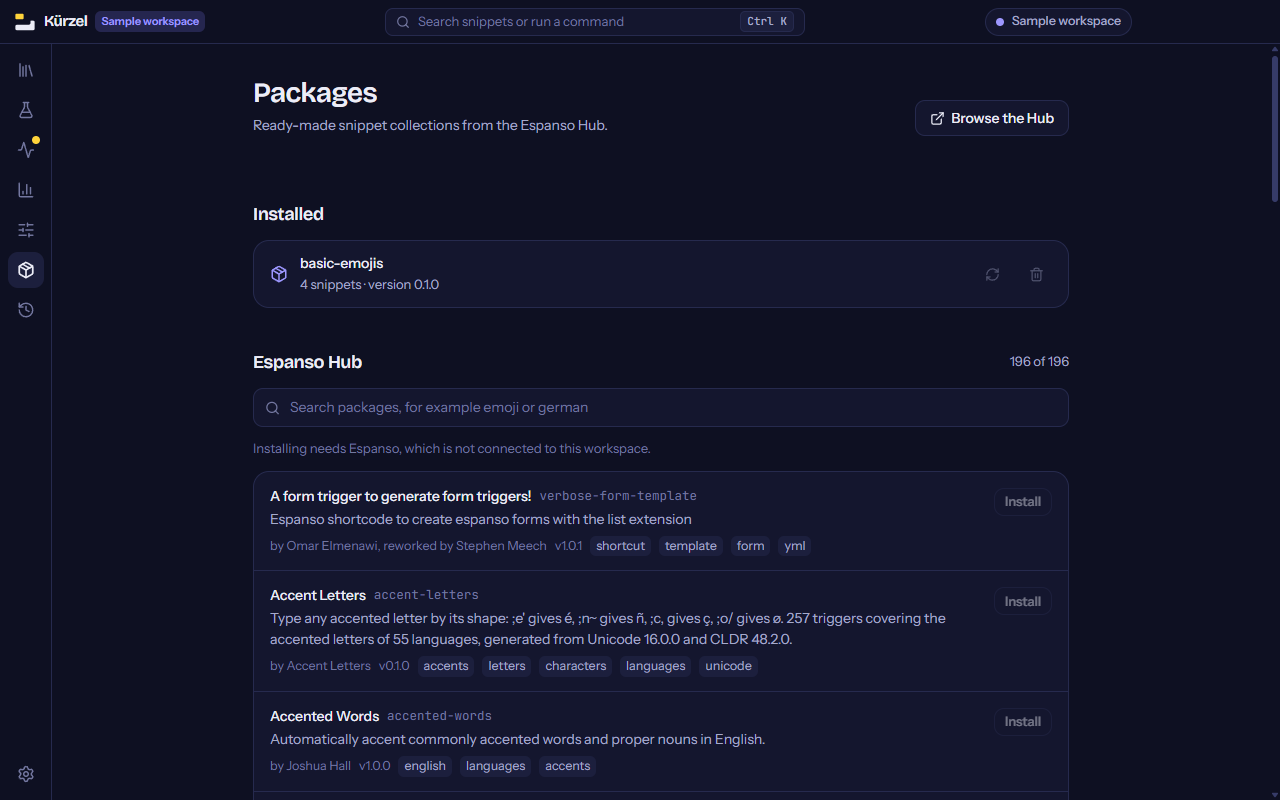
Almost two hundred packages of emoji, accents, symbols and shortcuts live on the Espanso Hub. Kürzel lets you search them where you already are, shows which ones run commands before you install them, and installs with one click.
Starting from nothing? A shelf of ready-made snippets for dates, email and symbols is there to pick from.
Your files stay the way you wrote them
Comments survive
Saving changes only the value you edited. Comments, quoting, key order and options Kürzel has never heard of are left exactly as they were.
Every save can be undone
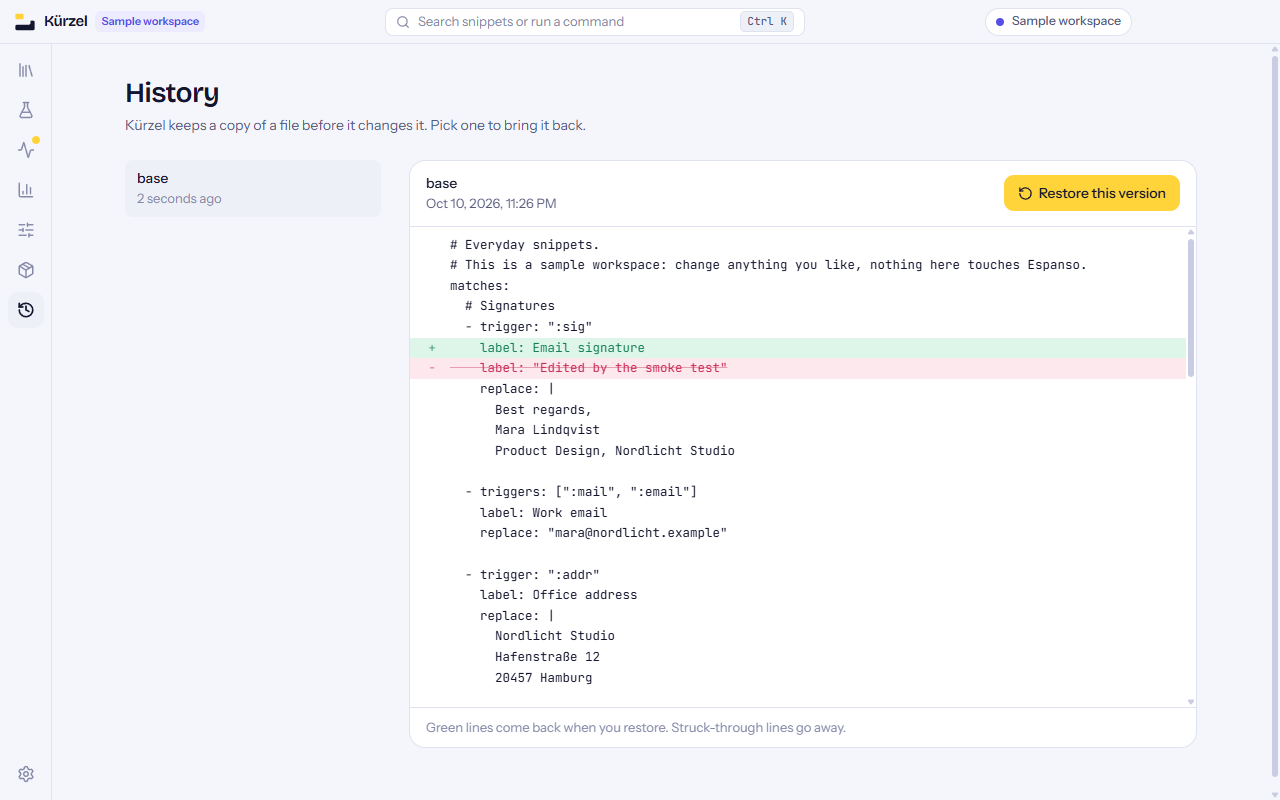
Before a file is changed, the previous version is copied. The History page shows, line by line, what restoring it would bring back.
Nothing leaves your computer
No account and no telemetry. Kürzel goes online only when you ask it to check for an update, load the Hub list or install a package.
It only touches Espanso's folder
The interface runs sandboxed. It can read and write the snippet and settings files in your Espanso folder, and nothing else on your disk.
Get Kürzel
You need Espanso for your snippets to do anything. Without it, Kürzel opens a sample workspace so you can look around.
Or, if you have Python:
pipx run kuerzel
The builds are not code-signed yet. Windows and macOS warn the first time, and Windows 11 with Smart App Control switched on can refuse to start a new release at all. The README explains what to do and lists what has and has not been tested.